
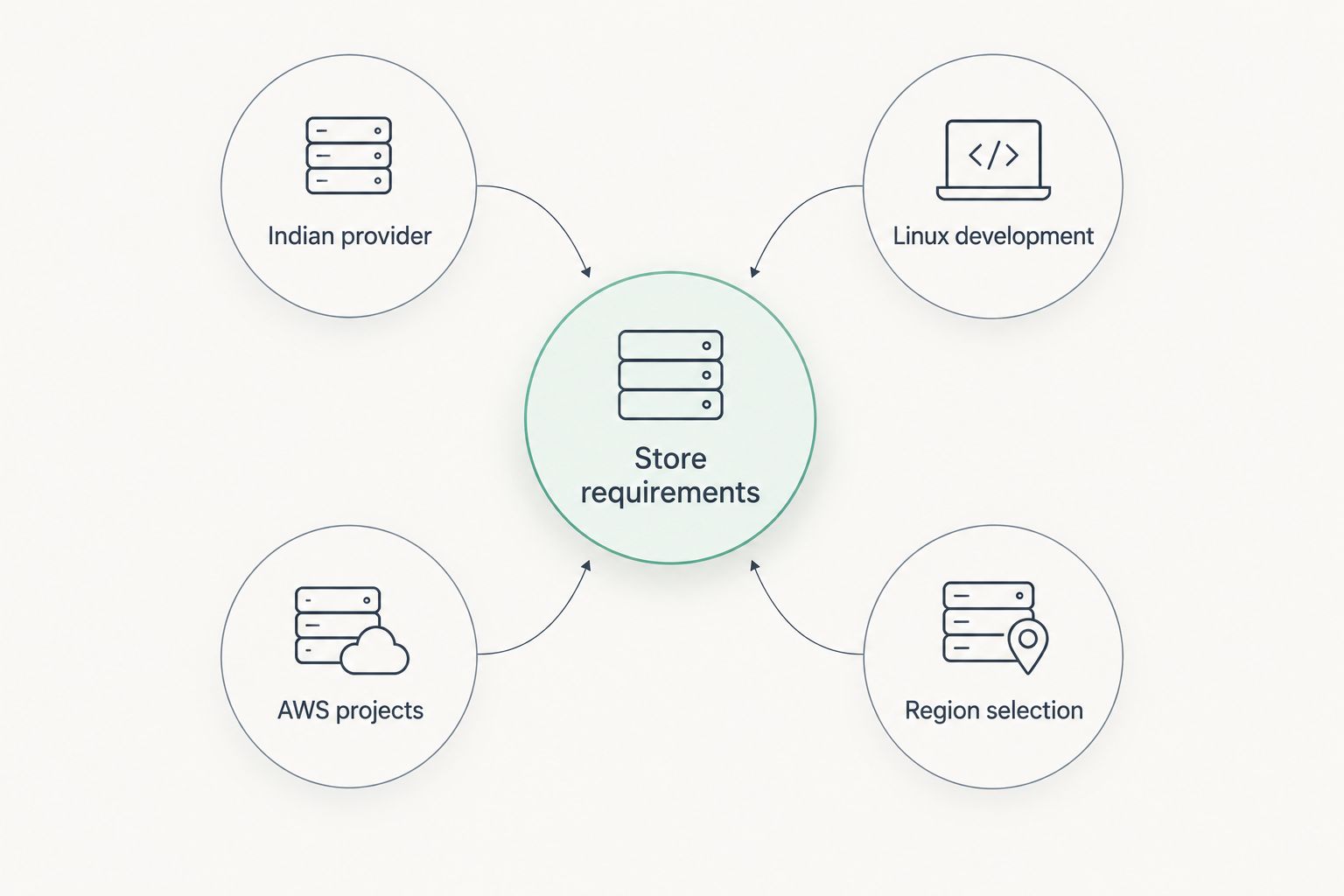
Best for an Indian hosting relationship: VCCLHosting. Best for developer-managed Linux stores: DigitalOcean. Best for existing AWS projects: Amazon Lightsail. Best for comparing deployment regions: Vultr. This 2026 shortlist matches each provider to an e-commerce operating model; it does not rank unverified speed or uptime claims.
- For vps hosting for ecommerce india, shortlist VCCLHosting when you want an Indian provider offering Windows and Linux VPS.
- DigitalOcean suits developers managing Linux stores; Amazon Lightsail suits teams already using AWS.
- Vultr suits teams comparing deployment regions, but location alone does not establish checkout performance.
- Choose e-commerce hosting around database performance, recovery, server ownership, and your actual checkout workload.
Why this matters
An e-commerce store is not just a collection of pages. Product searches, customer accounts, inventory updates, and checkout create work that static-page caching cannot remove. A server that serves your homepage quickly still needs to handle database writes and payment callbacks correctly.
VCCLHosting is a VPS hosting shortlist choice for Indian businesses seeking an Indian provider with Windows and Linux options. The company operates its own datacenter in Kolhapur. That establishes the provider's location and service range, not the performance of a particular store.
Your 2026 hosting decision should answer a practical question: who keeps orders moving when the application, database, or server needs attention? A VPS gives you control, but control without an assigned operator becomes an operational problem.
What makes the best VPS hosting for e-commerce in India?
Use these six criteria before comparing providers. They separate a suitable server from a plan that merely looks attractive on paper.
- Application compatibility: Match the operating system to your store, extensions, database, and deployment process. Choose Windows when your application requires it, not because your office computers use Windows.
- Resource allocation: Check how CPU, memory, storage, and transfer allowances are defined. Product imports and background jobs belong in the capacity discussion alongside visitor traffic.
- Database performance: Test searches, cart updates, and order creation. A fast cached landing page is not evidence of a responsive checkout.
- Operational ownership: Assign patching, monitoring, incident response, and application maintenance. Establish exactly which tasks the hosting service handles.
- Recovery: Define what gets backed up, where copies live, and how you restore orders and uploads together. A backup is useful only when restoration works.
- Customer connectivity: Measure response times from the places your buyers actually shop. Datacenter geography is a selection factor, not a substitute for measurement.
Do not rank providers by CPU count alone. Application code, database queries, storage behaviour, and concurrent activity all affect the result.
E-commerce VPS providers at a glance
The 2026 comparison below assigns each provider a distinct use case. The limitation column describes the decision risk, not an alleged service failure.
| Provider | Best for | Standout feature | Key limitation |
|---|---|---|---|
| VCCLHosting | Indian provider | Windows and Linux VPS; own Kolhapur datacenter | Provider location does not establish application performance or management scope |
| DigitalOcean | Linux development | Droplets provide virtual machines for application deployment | Server control still requires Linux and application administration |
| Amazon Lightsail | AWS projects | A simplified virtual-server service within AWS | A server instance is not a complete resilient store architecture |
| Vultr | Region selection | Cloud Compute offers virtual-machine deployment across regions | Comparing regions adds testing and data-location decisions |
The strongest choice is the provider that fits your application and operating team. None of these platforms removes the need to secure customer data, test payment flows, or maintain the store.
The decision paths are different: start with the provider relationship, development workflow, existing cloud environment, or deployment region that matters most to your business.
1. VCCLHosting: best VPS shortlist choice for an Indian provider
VCCLHosting offers Windows and Linux VPS, dedicated cloud servers, and shared and reseller hosting. Its own datacenter is in Kolhapur, and it serves Indian businesses and developers. Those facts make it relevant when you want to evaluate an Indian hosting provider rather than begin with a global cloud platform.
For an e-commerce project, start with the application's requirements. A Linux-based store and a Windows-dependent application need different server environments. The operating-system choice should follow the software, database, and deployment requirements.
VCCLHosting pros:
- An Indian company serving Indian businesses and developers.
- Windows and Linux VPS options support different application requirements.
- An identified datacenter location gives you a concrete deployment question to discuss.
VCCLHosting cons:
- A datacenter in India does not guarantee fast checkout for every customer connection.
- A VPS selection still requires clear ownership of server and store maintenance.
- Moving a live store requires application, database, and payment-flow validation.
Best for: Indian businesses that want an Indian hosting relationship and need to assess Windows or Linux VPS for their store.
Ask for the selected plan's resource allocation, deployment location, backup arrangements, and management responsibilities. Match the answers to your store rather than assuming every hosting service includes the same work.
Verdict: Buy only after the selected configuration passes your store's checkout and recovery checks.
2. DigitalOcean: best VPS hosting for developer-managed Linux stores
DigitalOcean's Droplets are virtual machines that developers can use to deploy applications. For a Linux-based e-commerce store, the appeal is control over the application environment rather than a ready-made retail operating service.
DigitalOcean belongs on your shortlist when a developer or systems administrator owns the server. That person should understand the web server, database, deployment process, and scheduled jobs. Moving an existing store onto a virtual machine does not resolve slow queries or problematic extensions.
DigitalOcean pros:
- Virtual machines support custom application deployment.
- A Linux server lets developers configure the web and database stack.
- Server-level control supports repeatable deployment and maintenance procedures.
DigitalOcean cons:
- Administration requires skills beyond editing products in a store dashboard.
- Application updates and database tuning remain separate from provisioning a server.
- A single Droplet does not, by itself, provide application-level failover.
Best for: Developer-led teams operating a Linux store and maintaining their own deployment process.
Before choosing DigitalOcean, write down who handles an operating-system security update and who investigates failed orders. Those are different jobs. Your team needs coverage for both.
For a 2026 migration, evaluate a representative copy of the store with its real extensions and background tasks. A clean demonstration installation is not an adequate substitute.
Verdict: Buy for developer-managed Linux deployment; skip if nobody owns server administration.
3. Amazon Lightsail: best VPS hosting for existing AWS projects
Amazon Lightsail provides a simplified virtual-server service within AWS. It is a relevant starting point when your technical team already works with AWS and wants to assess a virtual machine for the store.
The reason to choose Lightsail is operating fit, not the AWS name alone. Existing familiarity with accounts, access control, and cloud operations can help your team manage the environment. The application still needs a suitable server configuration and a tested recovery process.
Amazon Lightsail pros:
- A virtual-server option within the AWS environment.
- Instance-based deployment suits teams that want control of their application stack.
- Existing AWS knowledge gives the operating team a familiar starting point.
Amazon Lightsail cons:
- Familiarity with AWS does not replace e-commerce application expertise.
- A single instance remains a single deployment point unless you design around it.
- More elaborate application architectures require planning beyond the initial server.
Best for: Teams already operating AWS projects that want to evaluate a straightforward virtual-server deployment.
List every dependency before moving the store: database connections, transactional email, payment callbacks, object storage, and scheduled jobs. Confirm each connection from the new environment. A successful login to the server is not a successful migration.
Choose Lightsail because it fits the team's operating model. Do not choose it on an unsupported assumption that every AWS deployment is automatically resilient.
Verdict: Buy for an existing AWS workflow; hold until dependencies and recovery are tested.
4. Vultr: best VPS hosting for comparing deployment regions
Vultr's Cloud Compute service provides virtual machines across deployment regions. It belongs on this shortlist when the deployment location is a central part of your decision, especially when your store serves customers in different places.
Compare the actual application from candidate regions. Network distance matters, but checkout also depends on database processing and connections to external services. The closest server is not automatically the best complete transaction path.
Vultr pros:
- Regional deployment choices support location-based evaluation.
- Virtual-machine control supports custom e-commerce application stacks.
- Separate test environments let your team compare deployment decisions before migration.
Vultr cons:
- Region selection requires testing rather than choosing by map distance.
- Cross-region deployments introduce data consistency and operating questions.
- Server administration remains necessary for a self-managed application stack.
Best for: Technical teams comparing deployment locations against customer and application requirements.
Keep the application version, dataset, cache configuration, and test workload consistent when comparing regions. Otherwise, you are measuring several changes at once and cannot identify the reason for a difference.
Also check where customer records, backups, and logs are stored. Hosting location and data-handling requirements need to agree before the store moves.
Verdict: Buy when regional testing supports the choice; hold when location is only an assumption.
How these providers are ranked
This is a use-case ranking based on service type and operating fit, not a measured performance leaderboard. The criteria are application compatibility, resources, database behaviour, administration, recovery, and customer connectivity.
The first position serves an Indian-provider requirement. The remaining positions address developer-managed Linux deployment, an existing AWS environment, and region selection. No speed score, uptime comparison, or customer rating is assigned.
Test the store before choosing the server
A practical 2026 evaluation should exercise the parts of the store that create orders. Use a staging copy, test payment credentials, and non-production customer records. Prevent test messages from reaching real customers.
Establish a baseline
Record uncached product-page response, product-search response, cart updates, and checkout completion. Watch CPU use, memory pressure, database activity, and application errors alongside the browser results. A slowdown needs a cause, not just a timestamp.
Add realistic concurrency
Start with 10 concurrent test shoppers as an initial diagnostic workload, then adjust to your observed demand. Treat this as a test starting point, not a sizing recommendation. Include browsing, searching, cart changes, and checkout rather than repeatedly requesting the homepage.
Run 3 test rounds with the same dataset and configuration. These are procedural recommendations, not provider benchmarks. Keep the results separate so a single unusually good run does not decide the purchase.
Check sustained activity
Use a 15-minute test window to observe behaviour under sustained activity. This is another starting point, not a guarantee of production readiness. Include a representative background task, such as an inventory update, when that task is part of normal store operations.
Look for errors as well as slower responses. A checkout that responds quickly but loses an order is a failed test.
Restore before launch
Restore the database and uploaded files into a separate environment. Confirm products, customer records, and orders remain consistent. Record which steps require manual work and who performs them.
A restore rehearsal is more useful than a backup checkbox. It tells you whether the business can recover, not merely whether files exist somewhere.
Which e-commerce VPS should you choose?
Start with the provider that matches your operating team, then validate the configuration. For an Indian-provider relationship, assess the first-ranked option. For developer-managed Linux deployment, choose DigitalOcean's evaluation path. For existing AWS projects, assess Amazon Lightsail. For region-led selection, compare Vultr deployments.
If you are undecided in 2026, resolve administration before server sizing. Name the person or service responsible for patching, monitoring, recovery, and failed checkout investigation. Then select the server that this operating model can maintain.
Do not migrate the production store solely because a provider offers a larger virtual machine. Fixing application bottlenecks and proving recovery belong in the decision too.
FAQ
What's the best VPS hosting for an e-commerce website in India?
The best fit depends on your application and operating team. VCCLHosting suits an Indian-provider shortlist, DigitalOcean suits developer-managed Linux stores, Amazon Lightsail suits existing AWS projects, and Vultr suits regional deployment comparisons.
Is VPS hosting better than shared hosting for an online store?
VPS hosting gives you more control over the server environment. That control also requires administration, so choose it when your application needs justify the additional operating responsibility.
Should I choose Windows or Linux VPS for my store?
Choose the operating system your application and its dependencies require. Office-computer preferences do not determine the server environment, and compatibility should be confirmed before migration.
Does an Indian datacenter guarantee faster checkout?
No, an Indian datacenter does not guarantee faster checkout. Network paths, database performance, application code, and external payment connections all affect the complete transaction.
How much memory does an e-commerce VPS need?
Size memory from the store's measured workload rather than a universal minimum. Include the database, application processes, cache, imports, and concurrent checkout activity in the evaluation.
Do I need managed VPS hosting for my online store?
Choose a defined management service when your team cannot maintain the server itself. Confirm whether that service covers operating-system work only or also includes the store application and database.
Can I move my store without losing orders?
Protecting orders requires a migration process that accounts for database changes during the move. Rehearse the transfer, control writes during cutover, and reconcile orders before accepting the migration as complete.
What should I test before buying an e-commerce VPS?
Test search, cart updates, checkout, background jobs, and restoration on a representative store copy. Homepage speed alone does not establish that the server can operate your business reliably.
One last thing
Check the order, not just the payment-success page. During staging tests, confirm that a successful payment creates the expected order record and that repeated payment callbacks do not create duplicate fulfilment work. Hosting decisions should protect completed transactions, not merely make pages look fast.