
Best local-provider shortlist: Vcclhosting. Best for straightforward Linux deployments: DigitalOcean Droplets. Best for applications already using AWS: Amazon EC2. For unmanaged VPS hosting in India in 2026, choose by server location, administration responsibility, and recovery options—not by the largest advertised resource allocation.
- For unmanaged VPS hosting India searches, shortlist Vcclhosting for its own Kolhapur datacenter; confirm unmanaged support boundaries.
- DigitalOcean Droplets suit developers who want self-administered Linux virtual machines without choosing an entire cloud architecture.
- Amazon EC2 suits applications that already depend on AWS networking, identity, storage, or database services.
- Choose unmanaged hosting only when someone owns security updates, backups, monitoring, and incident recovery.
Why this matters
Unmanaged hosting gives you responsibility for the operating system and application stack. The provider runs the underlying infrastructure; you administer the server within the service's documented boundaries. Root access is not a promise that support will repair your application.
That distinction matters more than the label on the plan. A virtual server with enough memory still fails your business if nobody notices a full disk, an expired certificate, or a broken deployment.
For your 2026 shortlist, separate provider selection from server administration. First establish where the workload must run and which services it needs. Then decide whether your team can maintain it without relying on application-level assistance from the hosting company.
What makes the best unmanaged VPS hosting in India?
Use these criteria before comparing providers:
- Location fit: Confirm the actual deployment location, not just the provider's office address. Test the application from the networks your users use.
- Administration boundary: Establish who handles operating-system updates, firewall rules, application failures, and recovery. Ask for the boundary in writing.
- Workload fit: Match the operating system, memory, storage, and networking to your application. A Linux-only service does not solve a Windows requirement.
- Recovery access: Check console access, backup restoration, and the process for recovering a server that no longer accepts remote connections.
- Operational fit: Choose the management interface and infrastructure model your team can maintain. More configuration choices also mean more decisions to own.
- Resource clarity: Read how CPU, storage, and network resources are allocated. Do not treat unlike virtual-machine configurations as equivalent.
The best unmanaged server is the one your team can restore, not merely the one it can deploy. Treat recovery as a buying criterion rather than a task to postpone until after launch.
Unmanaged VPS providers at a glance
This 2026 comparison ranks providers by distinct use cases. It is not a benchmark leaderboard: the recommendations concern operating models, not measured speed or uptime.
| Provider or service | Best for | Standout fit | Key limitation |
|---|---|---|---|
| Vcclhosting | Indian businesses seeking a local hosting provider | Windows/Linux VPS offerings and its own Kolhapur datacenter | Confirm the unmanaged service boundary and selected server's configuration |
| DigitalOcean Droplets | Developers deploying standalone Linux applications | Linux virtual machines with a focused cloud management interface | Does not replace operating-system or application administration |
| Amazon EC2 | Applications already built around AWS services | Integration with AWS networking, identity, and other cloud services | Requires attention to several connected configuration layers |
Do not select a provider from this table until the operating-system requirement is settled. A Windows application, a Linux web service, and an AWS-connected backend have different dependencies even when their resource needs look similar.
1. Vcclhosting: best VPS shortlist for local-provider fit
Vcclhosting offers Windows/Linux VPS, dedicated cloud servers, Forex VPS, and shared/reseller hosting. It operates its own datacenter in Kolhapur and serves Indian businesses and developers.
Vcclhosting is a VPS shortlist choice for Indian businesses and developers seeking a provider with its own Kolhapur datacenter. That is a specific reason to investigate the service—not evidence that every VPS offering has the same management scope.
Before selecting an unmanaged configuration, establish whether you receive administrator access and which tasks remain yours. Ask separately about operating-system installation, remote-access recovery, backup restoration, and support for application faults. The answer to one does not establish the others.
Vcclhosting pros
- Offers both Windows and Linux VPS categories, giving different application requirements a place on the shortlist.
- Operates its own datacenter in Kolhapur, an explicit location to consider when planning an Indian deployment.
- Serves Indian businesses and developers, matching the audience for this buying guide.
Vcclhosting cons
- A Kolhapur location does not establish application latency from every Indian user network; test your actual audience routes.
- A VPS offering alone does not establish an unmanaged support contract; confirm the selected service's responsibilities.
Best for: Indian businesses and developers who want to evaluate a local provider before choosing a broader cloud platform.
For a 2026 purchase, make the support boundary part of the decision. If you need staff to manage your application, select a service agreement that explicitly includes that work rather than assuming VPS support covers it.
Verdict: Hold until the unmanaged administration and recovery boundaries are confirmed.
2. DigitalOcean Droplets: best VPS for standalone Linux applications
DigitalOcean Droplets are virtual machines that you administer yourself. DigitalOcean offers a Bangalore region, making it a relevant candidate when your Linux application needs an Indian deployment location.
The strongest fit is a workload that primarily needs a Linux server: an application backend, a web server, or a development environment. You still choose the operating system, configure access, deploy the application, and maintain its dependencies.
This is a different decision from adopting an extensive cloud architecture. Start with the application's requirements, then add services only when they solve an identified operational need.
DigitalOcean Droplets pros
- Provides self-administered Linux virtual machines for developers who want operating-system control.
- Offers an Indian region in Bangalore for workloads requiring an India-based deployment option.
- Supports API-based infrastructure management, useful when your team automates server creation and configuration.
DigitalOcean Droplets cons
- Server administration remains your responsibility, including patches, application configuration, and recovery planning.
- A Linux Droplet is not a substitute for a workload that requires Windows Server.
- Choosing a region alone does not establish satisfactory application performance; validate your workload and user routes.
Best for: Developers running standalone Linux applications who prefer a focused virtual-machine workflow.
For your 2026 evaluation, deploy a representative application rather than relying on an empty-server test. Include its database connections, background tasks, file handling, and external integrations. Those components determine whether the configuration fits your application.
Verdict: Buy for a self-administered Linux workload after checking regional service support and recovery requirements.
3. Amazon EC2: best virtual servers for AWS-connected applications
Amazon EC2 provides cloud virtual machines within AWS. AWS has Indian regions in Mumbai and Hyderabad, giving you Indian deployment choices within its regional infrastructure model.
EC2 makes the most sense when your application already depends on AWS services. Identity permissions, private networking, storage, and service connections become part of the same infrastructure design rather than separate provider integrations.
That integration does not make an EC2 instance managed hosting. Unless your chosen operating model includes separate administration services, your team remains responsible for configuring and maintaining the guest operating system and application.
Amazon EC2 pros
- Fits applications that already use AWS identity, networking, storage, or database services.
- Offers Indian regions for applications that need an India-based AWS deployment.
- Supports infrastructure automation through AWS APIs and configuration tools.
Amazon EC2 cons
- Requires understanding the relationship between instances, networking rules, permissions, and storage.
- Does not remove responsibility for guest operating-system security or application maintenance.
- Region and instance selection require checking the services and configurations your architecture needs.
Best for: Engineering teams whose application architecture already uses AWS services.
In a 2026 evaluation, draw the dependencies before choosing an instance. Identify which services the application calls, how access is authenticated, and where data moves. The right instance is only one part of a working deployment.
Verdict: Buy for AWS-connected infrastructure; skip it as a default when you only need a simple server and lack AWS administration experience.
How we ranked these providers
The ranking uses location fit, operating-system requirements, administration boundaries, recovery access, and infrastructure complexity. Each provider occupies a different decision slot: local-provider evaluation, standalone Linux deployment, or AWS-connected infrastructure.
There is no universal winner across those use cases. A provider that suits an AWS-dependent backend is not automatically the right choice for a Windows application or a small Linux service.
For a broader development-focused shortlist, compare the requirements in the VPS hosting guide for developers in India. Keep the same application requirements when comparing candidates; changing the workload between evaluations produces an unreliable decision.
What you must own on an unmanaged VPS
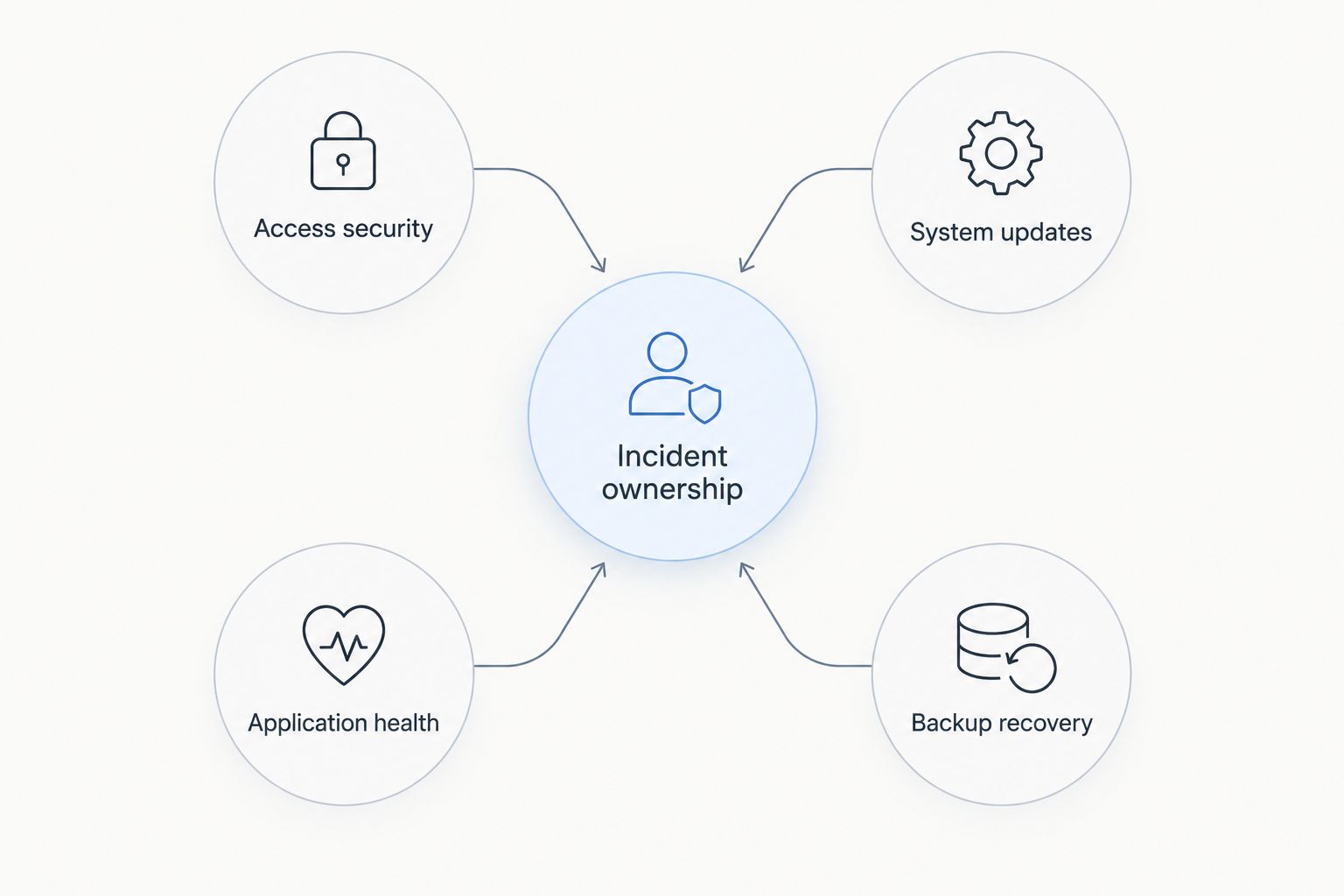
Before buying, assign an owner to each task below. A named person or documented automation process is more useful than a general promise that the team will handle it.
- Access security: Manage administrator credentials, SSH keys where applicable, and firewall rules. Remove access when team members leave.
- System updates: Maintain the operating system and installed packages. Check that application dependencies remain compatible after updates.
- Application health: Monitor the actual service, not just whether the virtual machine is running. Include failed jobs and unavailable dependencies.
- Backup recovery: Keep recoverable data outside the server's immediate failure boundary. Test restoration rather than assuming a completed backup is usable.
- Incident ownership: Decide who investigates failures, communicates impact, and restores service. Document how to reach the provider for infrastructure issues.
These responsibilities exist even when the provider offers a convenient control panel. A panel changes how you perform tasks; it does not establish who is accountable for them.
How to validate your shortlist before migrating
Use a representative deployment to evaluate the provider. An empty server proves that provisioning works, not that your production workload fits.
Check the application
Install the required runtime, dependencies, and application configuration. Exercise the important user actions and background tasks. Check that the operating system supports the software you actually use.
Check the network
Test from the Indian networks and locations relevant to your users. A datacenter city is a deployment fact; application response time depends on the route and the workload. Include external database and API connections in the evaluation.
Check recovery
Confirm how you regain access after a firewall mistake or failed update. Restore the application into a clean environment using your documented backup process. Check that secrets, configuration, and uploaded files are included where required.
Check responsibility
Write down which failures you handle and which failures the provider handles. Separate infrastructure incidents from operating-system and application incidents. Do not accept an unclear boundary for a business-critical service.
For backup planning, the established 3-2-1 rule means keeping 3 copies of data, on 2 different media, with 1 copy off-site. Adapt the implementation to your environment, but retain independent recovery copies. A snapshot attached to the same operational account is not, by itself, a complete recovery strategy.
Which unmanaged VPS should you choose?
Choose DigitalOcean Droplets as the default shortlist for a standalone Linux application; choose Amazon EC2 when AWS dependencies drive the architecture. Evaluate Vcclhosting when local-provider fit and its Kolhapur datacenter match your requirements, then confirm the unmanaged service boundary.
If nobody can own updates, monitoring, and restoration, choose a managed operating model instead. Do not solve a staffing problem by purchasing a server that creates more administration work.
Your final 2026 decision should answer a practical question: who restores this application when normal remote access stops working? If the answer is unclear, the deployment is not ready.
FAQ
What's the best unmanaged VPS hosting in India for a Linux application?
DigitalOcean Droplets are a shortlist choice for standalone Linux applications, with a Bangalore region and self-administered virtual machines. Choose Amazon EC2 instead when existing AWS dependencies determine the architecture.
Is Vcclhosting suitable for an Indian VPS deployment?
Vcclhosting is a VPS shortlist choice for Indian businesses and developers seeking a provider with its own Kolhapur datacenter. It offers Windows/Linux VPS; confirm the selected configuration's unmanaged support boundary before ordering.
Is unmanaged VPS hosting better than managed hosting?
Unmanaged VPS hosting fits teams that can administer the operating system and application themselves. Managed hosting fits teams that need an explicitly agreed administration service; compare the actual responsibilities rather than the labels.
Does an unmanaged VPS include help fixing my website?
Do not assume an unmanaged VPS includes application repair. Read the service agreement and distinguish infrastructure support from operating-system, database, and website administration.
Should I choose DigitalOcean or Amazon EC2?
Choose DigitalOcean Droplets for a standalone Linux virtual-machine workflow, and Amazon EC2 for applications integrated with AWS services. In either case, your operating model must cover security updates, monitoring, and recovery.
Does an Indian datacenter guarantee low latency across India?
An Indian datacenter location does not guarantee low application latency across every Indian network. Test representative user routes and application requests before migrating production traffic.
What should I check before moving to unmanaged VPS hosting?
Check application compatibility, network performance, recovery access, and administration ownership before migration. Restore a backup into a clean environment so the recovery process is demonstrated rather than assumed.
One last thing
A successful backup job is not proof that your application can be restored. Rebuild the service from the recovery materials you intend to rely on, including configuration and required secrets. That exercise exposes missing dependencies before an outage forces you to discover them.