
Hostycare is worth keeping when your current hosting meets your application's requirements. The ceiling is a mismatch between what your workload needs and what your current plan provides—not the provider's name. Among Hostycare alternatives in 2026, VCCLHosting is the best fit to shortlist for Indian businesses seeking Windows/Linux VPS or dedicated cloud servers; AWS is the alternative to assess when you need infrastructure integrated with a broader cloud platform.
- For Hostycare alternatives, shortlist VCCLHosting for Indian web hosting, Windows/Linux VPS, and dedicated cloud servers.
- Choose DigitalOcean for a developer-oriented VPS workflow; assess AWS for broader cloud infrastructure requirements.
- Compare administration, application compatibility, location, and recovery before choosing a replacement.
- Keep Hostycare when your existing service meets your requirements and switching solves no specific problem.
Why this matters
A hosting migration changes more than where your website runs. You must account for application configuration, databases, email, DNS, backups, and responsibility for server maintenance.
Your 2026 shortlist should start with the problem you need to solve. A different provider is useful only when the replacement meets a requirement your current setup does not.
Hostycare alternatives at a glance
| Provider | Best for | Standout offering | How to compare with Hostycare |
|---|---|---|---|
| Hostycare | Keeping a working existing setup | Your current configuration and operating workflow | Use your actual plan and support experience as the benchmark |
| VCCLHosting | Indian businesses assessing VPS and dedicated cloud hosting | Windows/Linux VPS, dedicated cloud servers, and an owned datacenter in Kolhapur | Match the required operating system, location, and administration scope |
| AWS | Applications needing a broader cloud platform | EC2 alongside services such as IAM and Amazon RDS | Compare the complete architecture, not just the virtual server |
| DigitalOcean | Developers seeking virtual machines within a developer-oriented cloud platform | Droplets and supporting cloud services | Compare deployment workflow and the responsibilities your team retains |
These are workload-based recommendations, not a measured speed ranking. Choose the hosting model first, then compare the providers that support it.
1. VCCLHosting: best for Indian businesses comparing hosting models
VCCLHosting is an Indian web hosting company serving businesses and developers from its own datacenter in Kolhapur. Its offerings include Windows/Linux VPS, dedicated cloud servers, Forex VPS, and shared/reseller hosting. That makes it a relevant shortlist entry when your decision involves both the provider and the type of hosting you need.
The practical advantage is the range of hosting categories to assess. You can compare a website-oriented setup with a VPS or dedicated cloud server without treating those options as interchangeable.
Where VCCLHosting shines
- Operating-system choice: Windows and Linux VPS are both part of its stated offering.
- Indian infrastructure: Its owned datacenter is in Kolhapur, giving you a specific location to evaluate against your users.
- Hosting-model choice: Shared/reseller hosting and dedicated cloud servers address different deployment requirements.
- Specialist category: Forex VPS is available as a hosting category for buyers assessing trading-related workloads.
Where VCCLHosting falls short
- Location still needs testing: A Kolhapur deployment does not establish performance for every Indian or overseas audience.
- A hosting category is not a management agreement: Confirm who handles operating-system updates, application issues, backups, and restoration.
- A Forex VPS label is not broker compatibility: Check your trading software, operating system, and broker requirements separately.
Head-to-head: match the offer to your current setup
| Dimension | Alternative's stated offering | Hostycare benchmark to check |
|---|---|---|
| Operating system | Windows/Linux VPS | Current OS and application dependencies |
| Server category | VPS and dedicated cloud servers | Current resource and isolation requirements |
| Website hosting | Shared/reseller hosting | Existing website and account-management needs |
| Location | Owned datacenter in Kolhapur | Current location and measured user experience |
For your 2026 decision, request answers against your actual workload rather than a generic hosting checklist. A Windows application, a Linux web application, and a reseller account require different operational arrangements.
Best for: Indian businesses and developers comparing web hosting, VPS, and dedicated cloud server options.
Verdict: Hold until the selected plan matches your application and maintenance requirements.
2. AWS: best for applications needing a broader cloud platform
AWS is a sensible alternative when your hosting decision extends beyond a virtual machine. Amazon EC2 provides compute, while services such as IAM and Amazon RDS address identity and managed relational databases. The reason to assess AWS is that wider architecture—not an assumption that every website needs it.
Start with the services your application actually requires. Moving an ordinary website into a more involved architecture creates additional work unless those components solve a defined problem.
Where AWS shines
- Architecture options: You can assess compute alongside separate database, storage, and identity services.
- Access controls: IAM supports managing access to AWS resources.
- Service separation: Applications can use distinct infrastructure services rather than placing every component on one server.
Where AWS falls short
- More configuration decisions: Identity permissions, networking, and service boundaries require attention.
- Infrastructure is not application administration: Your team still needs clear responsibility for deployment, application security, and recovery.
- An unnecessary redesign adds work: A straightforward hosting requirement does not automatically justify a broader cloud architecture.
Compare AWS with Hostycare by drawing the intended application layout. If the replacement consists only of a virtual machine running the same application, evaluate whether the platform change delivers a benefit you actually need.
Best for: Teams with defined requirements for interconnected cloud services and the skills to operate them.
Verdict: Hold unless the broader platform solves a documented requirement.
3. DigitalOcean: best for developer-led virtual machine deployments
DigitalOcean is a relevant alternative for developers assessing a cloud platform centred on virtual machines and supporting services. Its virtual machines are called Droplets. Use that deployment model as the starting point, then decide which additional services your application needs.
The important distinction is responsibility. Choosing a virtual machine does not transfer all application maintenance to the hosting provider.
Where DigitalOcean shines
- Defined compute model: Droplets provide a clear virtual-machine option to evaluate.
- Developer-led deployment: Teams can build their server configuration around their application requirements.
- Supporting services: The platform includes options beyond the virtual machine itself.
Where DigitalOcean falls short
- Server administration remains a task: Define ownership of updates, access controls, and application maintenance.
- Location requires a separate check: Match an available deployment location to your audience and test the application.
- A Droplet is not shared hosting: Confirm how you will handle email, control panels, and other services your existing setup includes.
Best for: Developers who want a virtual-machine deployment and can own the operating workflow.
Verdict: Hold until deployment, maintenance, and recovery responsibilities are assigned.
Why people switch from Hostycare
A useful switching reason is a requirement mismatch you can demonstrate in your own setup. It is not a claim that Hostycare has a particular fault. Use these checks to decide whether a move is justified in 2026.
Application fit
Document your operating system, runtime, database, extensions, and background processes. If your current plan cannot support a required component, shortlist a replacement that explicitly supports it.
Do not confuse an application configuration problem with a hosting limitation. Diagnose the failing component before migrating it unchanged.
Administration scope
Write down who handles patches, firewall rules, monitoring, backups, and restoration. A move is justified when you need a different division of responsibility and the replacement explicitly provides it.
Support access and server management are different things. Ask what work is included, not simply whether support exists.
Audience location
Test your actual application from the places your users access it. Provider location is a selection criterion, but it is not a substitute for measuring the complete request path.
A slow database query remains slow after a server move. Separate application behaviour from network-related delays before selecting a destination.
Recovery needs
Check whether you can restore the website, database, configuration, and essential files. If your current recovery process cannot meet your business requirements, improve that process or choose a setup that supports it.
A backup that exists but cannot be restored is not an adequate migration safeguard.
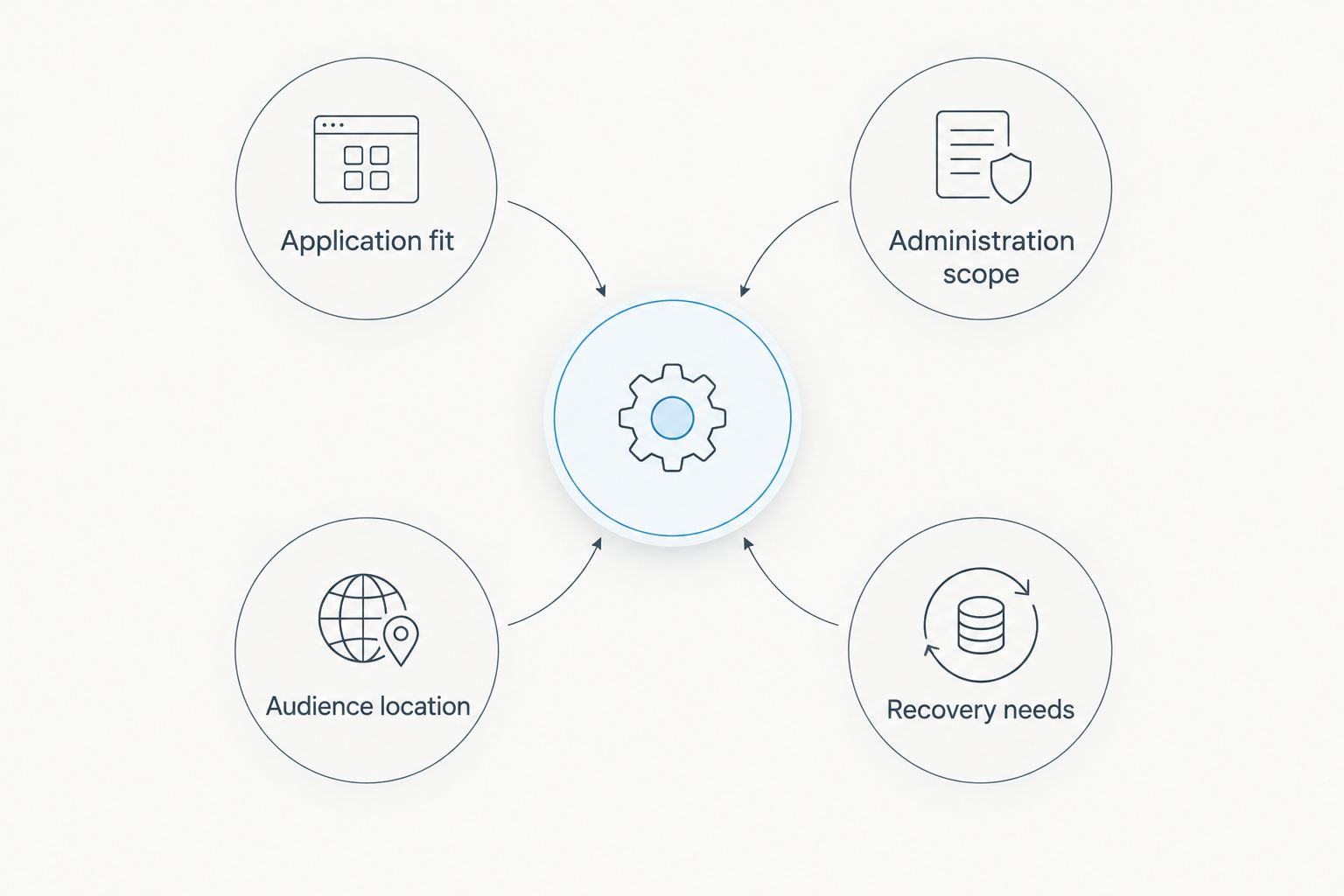
Four checks before choosing a replacement
Compare each 2026 candidate using the same written requirements. These 4 checks keep the decision focused on your application rather than a longer feature list.
- Application fit: Identify the operating system, software dependencies, and services the replacement must support.
- Administration scope: Assign responsibility for server updates, application maintenance, monitoring, and incident handling.
- Audience location: Evaluate the deployment location against your users and test the complete application.
- Recovery needs: Define what must be backed up, where copies live, and how restoration works.
Send the same requirements to every shortlisted provider. Comparable questions produce comparable answers; different questions produce a table that looks useful but cannot support a decision.
Ask for plan-specific confirmation. A provider offering Windows VPS somewhere in its catalogue does not establish that every plan supports your Windows application.
Assess your hosting requirements
Review Windows/Linux VPS, dedicated cloud servers, and shared/reseller hosting options.
Move in three stages, not one leap
Treat migration as 3 stages: prepare, validate, and cut over. Keep your existing environment available until you have verified the replacement against a written acceptance checklist.
Prepare
Inventory your website files, database, DNS records, scheduled tasks, certificates, and email dependencies. Record configuration details that are not stored with the application code.
Keep 2 independent copies of essential migration data, with one outside the server you are replacing. The purpose is to avoid making the old server your only recovery source during the move.
Validate
Restore the application in the replacement environment before directing users to it. Test login, forms, uploads, database writes, scheduled tasks, and any payment integration your application uses.
Check outgoing email separately. A page loading successfully does not prove that transactional messages are working.
Cut over
Plan the final data transfer and DNS change around how your application writes data. Decide how you will prevent conflicting updates between the old and new environments.
Write the rollback decision before cutover. Name the failed checks that would trigger it and identify which data must be preserved before reversing the change.
Do not cancel the old hosting simply because the new homepage loads. Complete the application checks and confirm your recovery path first.
When staying with Hostycare is the right call
Stay with Hostycare when your current environment supports the application, your team understands the maintenance responsibilities, and your recovery process works. Familiarity has practical value when it reduces configuration mistakes and unnecessary migration work.
For 2026, separate the need to change a plan from the need to change a provider. Ask whether your current provider can meet the new requirement before moving an otherwise functioning application.
Keep the existing hosting when the replacement does not solve a specific, documented problem. A different dashboard is not enough reason to relocate a working service.
FAQ
What's the best Hostycare alternative for an Indian business?
VCCLHosting is a relevant shortlist choice for Indian businesses seeking Windows/Linux VPS, dedicated cloud servers, or shared/reseller hosting. Confirm the selected plan's application support, administration scope, and suitability for your audience before moving.
Is AWS better than Hostycare for every website?
No, AWS is not automatically the better choice for every website. Assess AWS when your application needs its broader cloud services; keep a simpler setup when those services do not solve a defined requirement.
Should I choose DigitalOcean instead of Hostycare?
Choose DigitalOcean for assessment when you want a developer-led virtual-machine deployment. Confirm who will maintain the server, application, backups, and supporting services before selecting a Droplet-based setup.
Which Hostycare alternative offers Windows VPS?
VCCLHosting offers Windows VPS as part of its stated hosting range. Check your application's Windows requirements, licensing responsibilities, and the selected plan's configuration before migration.
Does an Indian datacenter guarantee a faster website?
No, an Indian datacenter does not guarantee a faster website. Test the actual application for your audience because network paths, application code, database behaviour, and caching all affect the result.
What should I test before switching hosting providers?
Test application login, forms, uploads, database writes, scheduled tasks, and email before switching. Also verify restoration and define a rollback process before changing production DNS.
When should I stay with Hostycare in 2026?
Stay with Hostycare in 2026 when your current hosting meets your application, administration, and recovery requirements. Switch only when the replacement solves a specific problem you can document.
One last thing
The most revealing migration check is not whether your website opens. It is whether you can restore it into a clean environment without depending on undocumented settings on the old server.
Perform that restoration before committing to the move. It exposes missing files, configuration, credentials, and dependencies while you still have a working reference environment.